Analysis you can put your name to
Rahoto lets you ask a connected dataset a question in plain words and get a chart, a short finding and how fresh the data is. It works the answer out from your rows, shows its data, and says why when a question cannot be answered honestly.
Ask in plain words, see the answer and its data, keep it up to date, and put it in a report. SQL and named methods are there when you want them; data rules hold throughout.
- Plain-words questions
- Data shown first
- Refuses rather than guesses
- Data rules hold
Ask
Ask in plain words and see the working
Pick a dataset and ask. Rahoto works out the answer from your rows and shows the chart, the finding and how fresh the data is.
-
See the data first
See the data first, with hidden columns hidden for your role.
-
A question, answered from the rows
Ask in plain words. Rahoto works out the answer from your rows and shows the chart, the finding and how fresh the data is.
-
A refusal, not a guess
When a question can’t be answered honestly, Rahoto says why and offers one it can answer.
Use
Put the answers to work
-
With or without a report
Analyse first. Put the answers in an existing report, or start a new report from them.
-
Keep an answer up to date
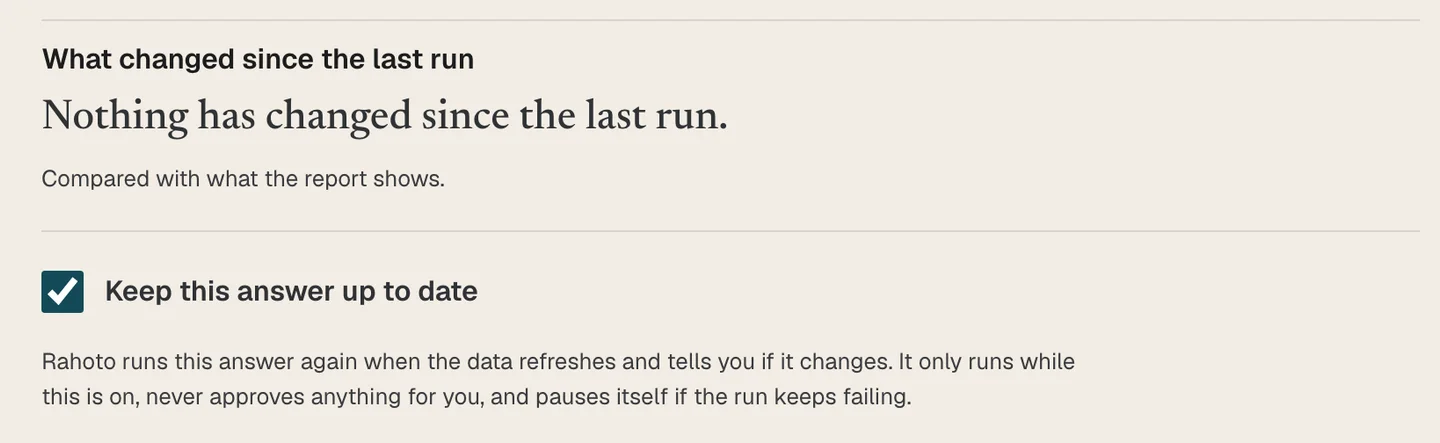
Turn on “keep up to date” and Rahoto reruns the answer when the data refreshes and tells you if it changed. It never approves anything for you.
-
Questions from readers
Questions readers couldn’t get answered on the published report land here for you to take on or decline.
More control
Methods and SQL, when you want them
-
Named analysis methods
Run a named method: choose the measure, the grouping and the date. Columns that hold personal data or IDs are never offered.
-
SQL under Advanced
Prefer SQL? It’s under Advanced: read-only, on the columns you can see.
Trust
Your data rules hold, and the AI is checked
Set who sees which rows and columns once. The rule holds in analysis, in the editor, in reader questions and in what gets delivered.
-
The same rules in the report you send
A report goes out with the publisher’s access, never more.
-
Drafts can’t cite missing columns
If a draft names a field your data doesn’t have, Rahoto fixes it or drops it before you see it.
-
Words checked against numbers
Before each scheduled issue, Rahoto checks the text against the data. If something material changed, the run waits for your review.
-
AI starts from your context
Rahoto’s AI starts from your dataset, your report and your brand kit, not a blank chat box. It works from the shape of your data: columns, types and summary figures.
-
Identifiers stand in
Names and identifiers are swapped for stand-ins before a request leaves, and swapped back when the answer returns.
Coming
What is not here yet
-
One question across several sources Coming
One question across several sources is on the way and is not available today.
Limits
What to know before you rely on it
- One filter value at a time. Comparing the same month across years is not supported yet.
- Rahoto does not answer any question. When it cannot answer honestly, it says so.
- Rules set by your data owners hold everywhere only when their author governs the source; otherwise a rule covers its own report.
- SQL is refused for anyone bound by a data rule, and drafting SQL with AI draws on your monthly AI allowance.
- Keep up to date pauses after repeated failures, and asks you to look.
- The text check is not a guarantee that a statement is true. Web-link-only runs skip the narrative refresh.
- Named methods work on report-scoped answers.
Questions people ask
Can I ask Rahoto any question about my data?
No. You ask in plain words and Rahoto works out the answer from your rows, but it handles one filter value at a time and does not compare the same month across years. When a question cannot be answered honestly, it says why and offers one it can answer.
Does asking a question cost anything?
No. A question is free and runs on the saved copy of your data. Drafting SQL with AI is separate and draws on your monthly AI allowance.
Can different people see different rows and columns?
Yes. Rules set by your data owners decide who sees which rows and columns, and they hold in analysis, in the editor, in reader questions and in what gets delivered. A report goes out with the publisher’s access, never more.
Do I have to write SQL?
No. SQL is under Advanced for people who want it: one read-only query, on the columns you can see. It is not available to anyone bound by a data rule.
Ask your own data a question
Connect a dataset, ask in plain words, and put the answer in a report you can send.
Prefer email? [email protected]