A design canvas made for reports
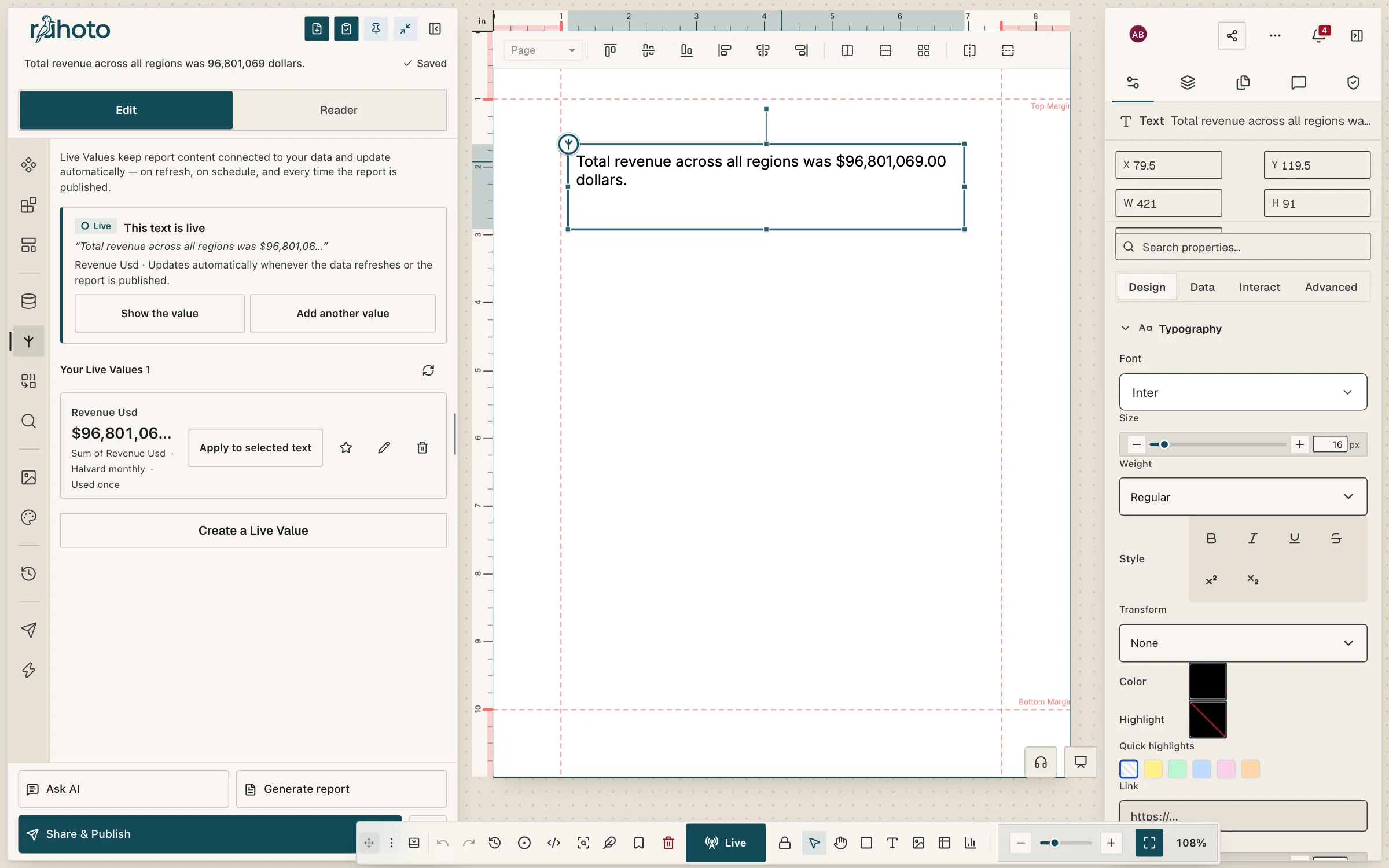
Rahoto’s editor is a freeform design canvas for reports: place text, charts, tables, shapes and images anywhere on the page. Charts, tables and live figures are bound to your data, so next month’s numbers arrive in the same layout.
Typeset text, 101 chart templates you restyle element by element, large tables, brand kits and master pages, with the same report open for your whole team.
- Real typesetting
- Chart templates
- Large charts and tables
- Brand kits
- Team editing
Canvas
Place anything, typeset it properly
-
A freeform canvas
Place text, charts, tables, shapes and images anywhere on the page.
-
Real typesetting
Real typesetting: shaped text, kerning and proper line breaking.
-
Live figures inside sentences
A number in a sentence can be live, so the words stay true when the data changes.
-
Master pages and grids
Master pages, grids and guides.
Charts and tables
Restyle any part, at a size that holds
-
Chart templates
101 chart templates.
-
Edit any part of a chart
Select and restyle any bar, label, axis or legend.
-
Large charts
Explore and interact with 200,000 points on the GPU; design up to about 1,000 editable marks.
-
Large tables
Explore and design tables up to 50,000 rendered rows; above that Rahoto shows “first N of M” and you narrow at the source.
Brand
Your look, applied in one step
-
Brand kits
Your fonts, colours and logo as a brand kit, applied in one step.
-
Every AI change is previewed
Every AI change is shown before it’s applied, and afterwards it’s an ordinary, editable part of the page.
Together
One report, the whole team
-
Work together
Edit the same report together, leave comments, and go back to any saved version.
How the report runs on a schedule · Design reports in the docs
Limits
What to know before you rely on it
- Per-mark editing stops at about 1,000 marks. Above that, marks are painted on the GPU and can be explored, but are not individually selectable.
- The GPU path needs WebGL2. Without it, charts use a sampled path and are much slower at the largest sizes.
- Tables render up to 50,000 rows, and the cap is always shown on the page. Past it you narrow at the source.
- The chart template count is the number in the registry, not a count of certified designs.
Questions people ask
How many chart templates are there?
101 chart templates, and you can select and restyle any bar, label, axis or legend.
How large a chart can I work with?
Explore and interact with 200,000 points on the GPU; design up to about 1,000 editable marks. Without WebGL2 a sampled path applies instead.
How large a table can I work with?
Explore and design tables up to 50,000 rendered rows; above that Rahoto shows “first N of M” and you narrow at the source.
Can several people edit the same report?
Yes. Edit the same report together, leave comments, and go back to any saved version.
Open the canvas on your own report
Bring a report you rebuild every month and lay it out once, bound to its data.
Prefer email? [email protected]